National Fluids Lease Sale SystemU.S. Department of Interior | Bureau of Land Management (BLM)Create a New Oil & Gas Application (Expression of Interest)
Getting StartedQuick Guide
This Quick Guide will provide you with step-by-step instructions on how to create an Oil & Gas Application (Expression of Interest).
To create and submit an application in NFLSS, customers are required to log into their NFLSS person or business account. For instructions on creating or updating your NFLSS account, please review the Account knowledge articles from the NFLSS Help Center.
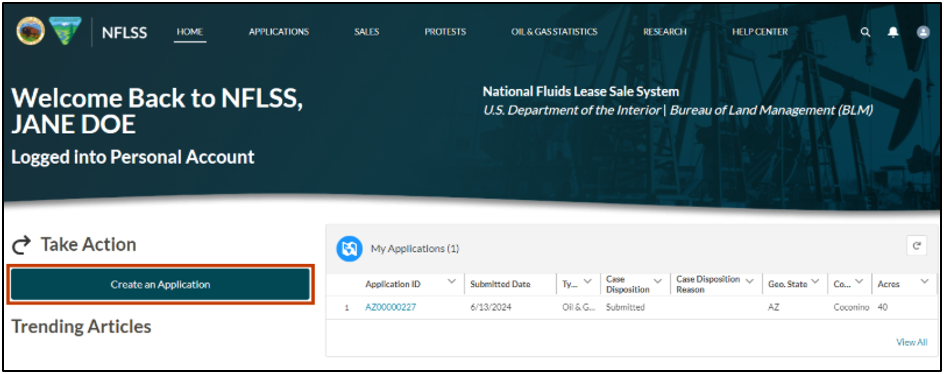
From the Home page, login to the NFLSS from the Submit and Track your Application section or the Login button at the top of the page.
Select the Create an Application button.
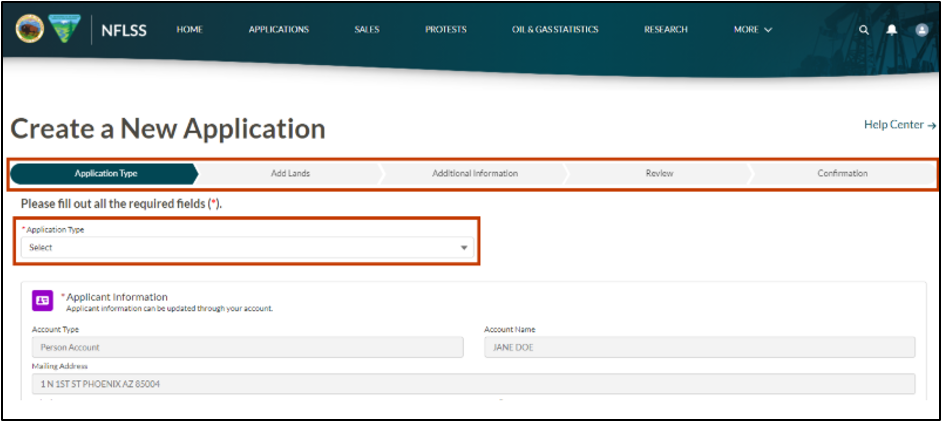
There are five stages where the user must enter data to complete the application. The progress bar at the top of the page will indicate where the user is in the process. The five stages are:
- Application Type
- Add Lands
- Additional Information
- Review
- Confirmation
The Application Type field requires a selection. For an Oil and Gas Expression of Interest, select Oil & Gas Application (Expression of Interest). Currently, only Oil and Gas and Geothermal Applications (Nominations) may be entered into NFLSS online by the public user.
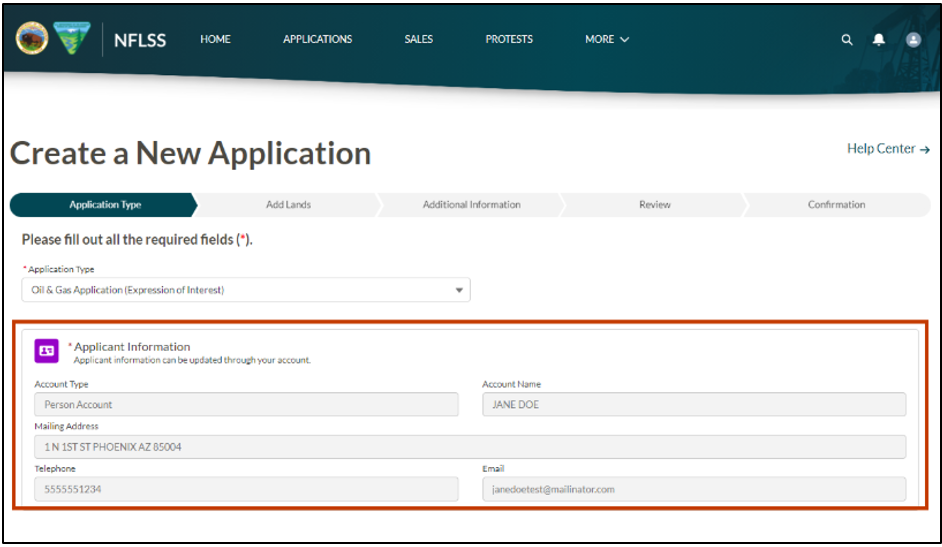
In the Applicant Information section, the Account Type, Account Name, Mailing Address, Telephone, and Email will auto populate from the user’s account. If any information is incorrect, the user must update their account. Refer to the updating an account knowledge articles from the NFLSS Help Center, or submit a Public Help Desk (PHD) ticket for assistance.
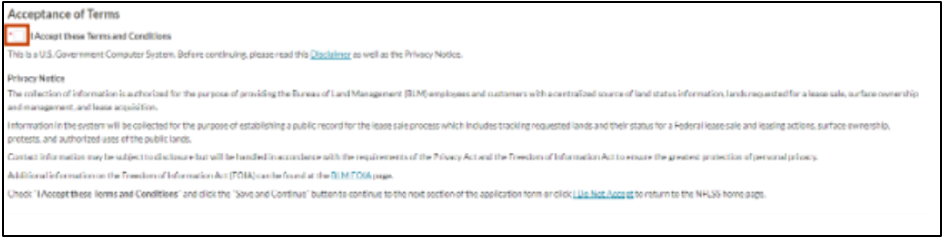
In the Acceptance of Terms section, the user must accept the U.S. Government Terms for using the government computer system before any information can be entered into NFLSS. Select the checkbox to accept the Terms and Conditions. If the user does not want to accept the terms, select the I Do Not Accept link, found in the last sentence of the Acceptance of Terms section to return to the NFLSS Home page.
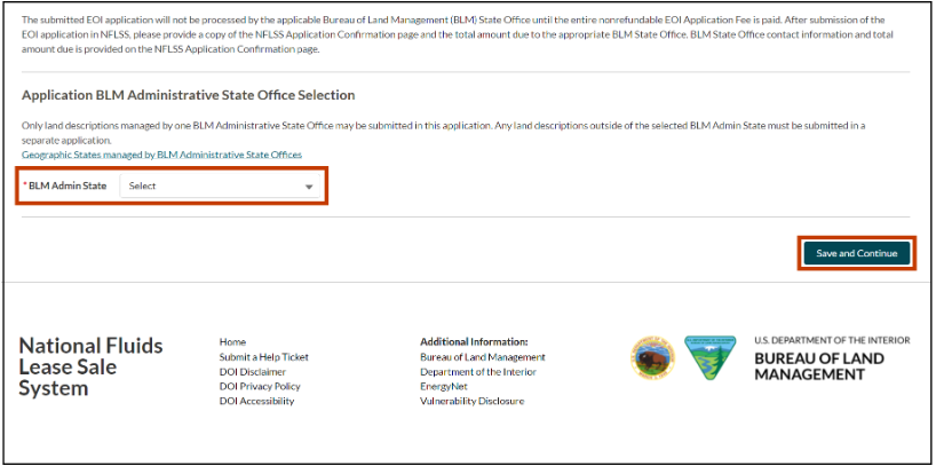
In the Application BLM Administrative State Office section, select the BLM State Office from the dropdown that manages the lands you intend to nominate. For more information on BLM State Offices visit the BLM website: www.blm.gov/locations
All lands submitted on the application must be managed by one BLM State Office. Any land descriptions outside of the selected BLM State Office must be submitted in a separate application.
Once the BLM State Office has been selected, select the Save and Continue button.
To view the next steps in the process, visit Create a New Oil & Gas Application (Expression of Interest) - Add Lands 1 of 2 Quick Guide
Contact the BLM Public Help Desk with any additional questions.