National Fluids Lease Sale SystemU.S. Department of Interior | Bureau of Land Management (BLM)Create a New Oil & Gas Application (Expression of Interest)
Review and SubmitQuick Guide
This Quick Guide will provide you with step-by-step instructions on how to review and submit an Oil & Gas Application (Expression of Interest). To view previous steps in the process, visit Create a New Oil & Gas Application (Expression of Interest) - Additional Information Quick Guide.
From the Review stage, use the vertical scroll bar to carefully review the information in each of the four sections on the application:
- Applicant Summary
- Land Description Summary
- Application Fee (if applicable)
- Additional Information Summary
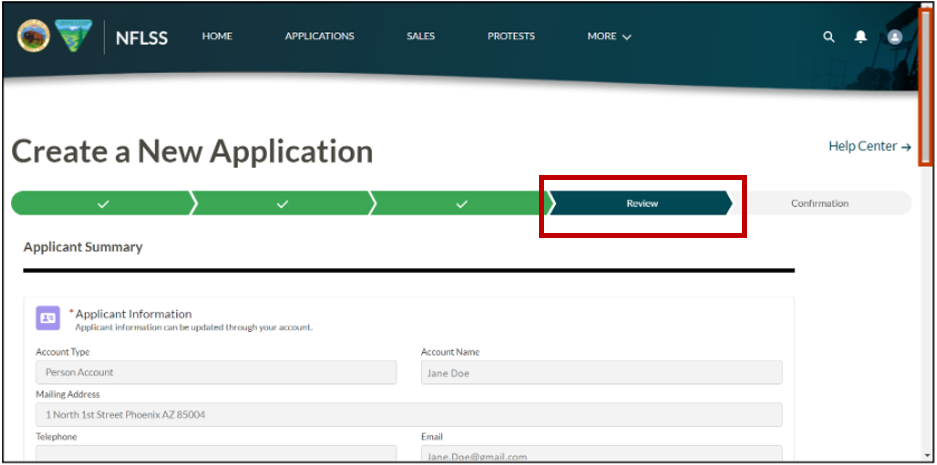
In the Land Description Summary section, the total number of lands in the application and the individual land description summaries will be displayed.
In the Application Fee (Nonrefundable) section, the total acreage and the total filing fee will be displayed, if applicable. For more information on nonrefundable fixed filings fees, please visit the BLM's webpage: https://www.blm.gov/fixed-filing-fee-schedule-blm-energy-and-minerals
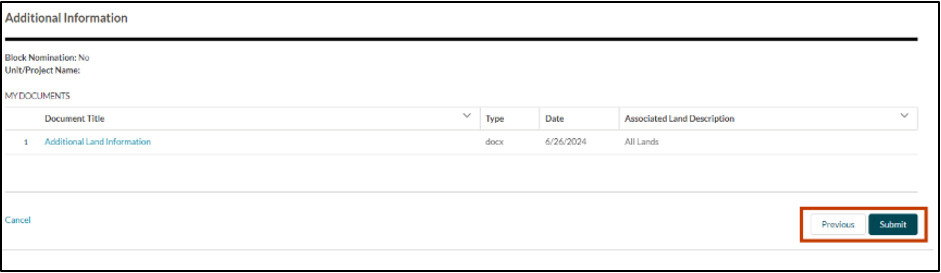
In the Additional Information Summary section, any documents that were associated to the lands or application will be displayed. Click on the file name link to view each attachment prior to submission.
To make any edits to the application, select the Previous button.
To save your progress as a draft and return to the application at a later time, select the Save and Close link.
Select the Submit button to submit the application to the BLM. The application, including the applicant’s name, the nominated lands and their real-time status will be displayed to the public from the NFLSS Applications tab.
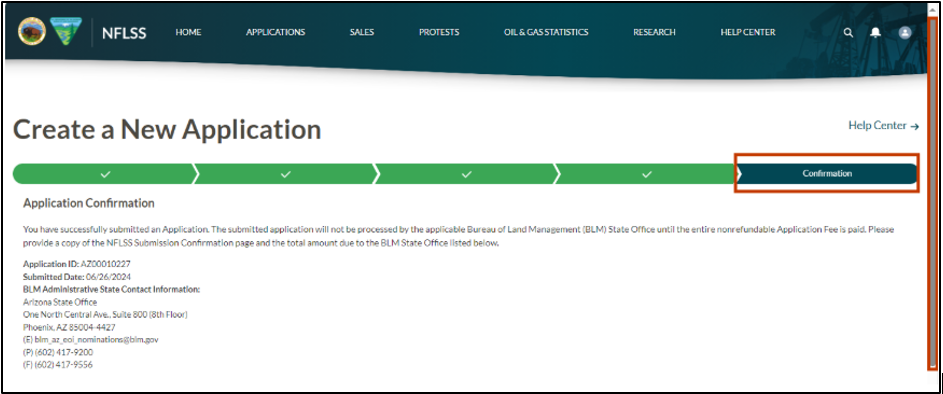
Confirmation is the final stage in the application process, notice how the progress bar advanced. Use the vertical scroll bar to review the application.
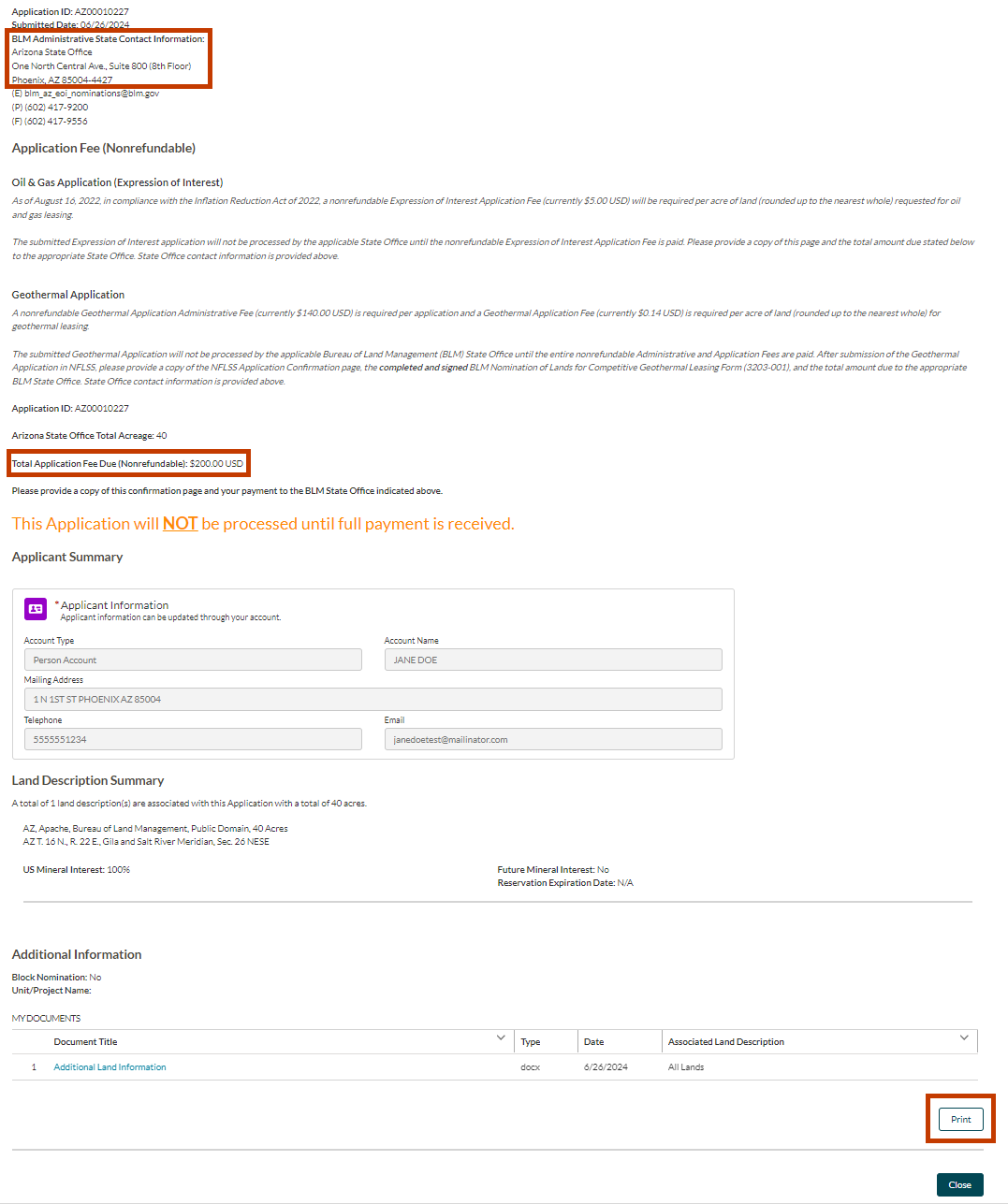
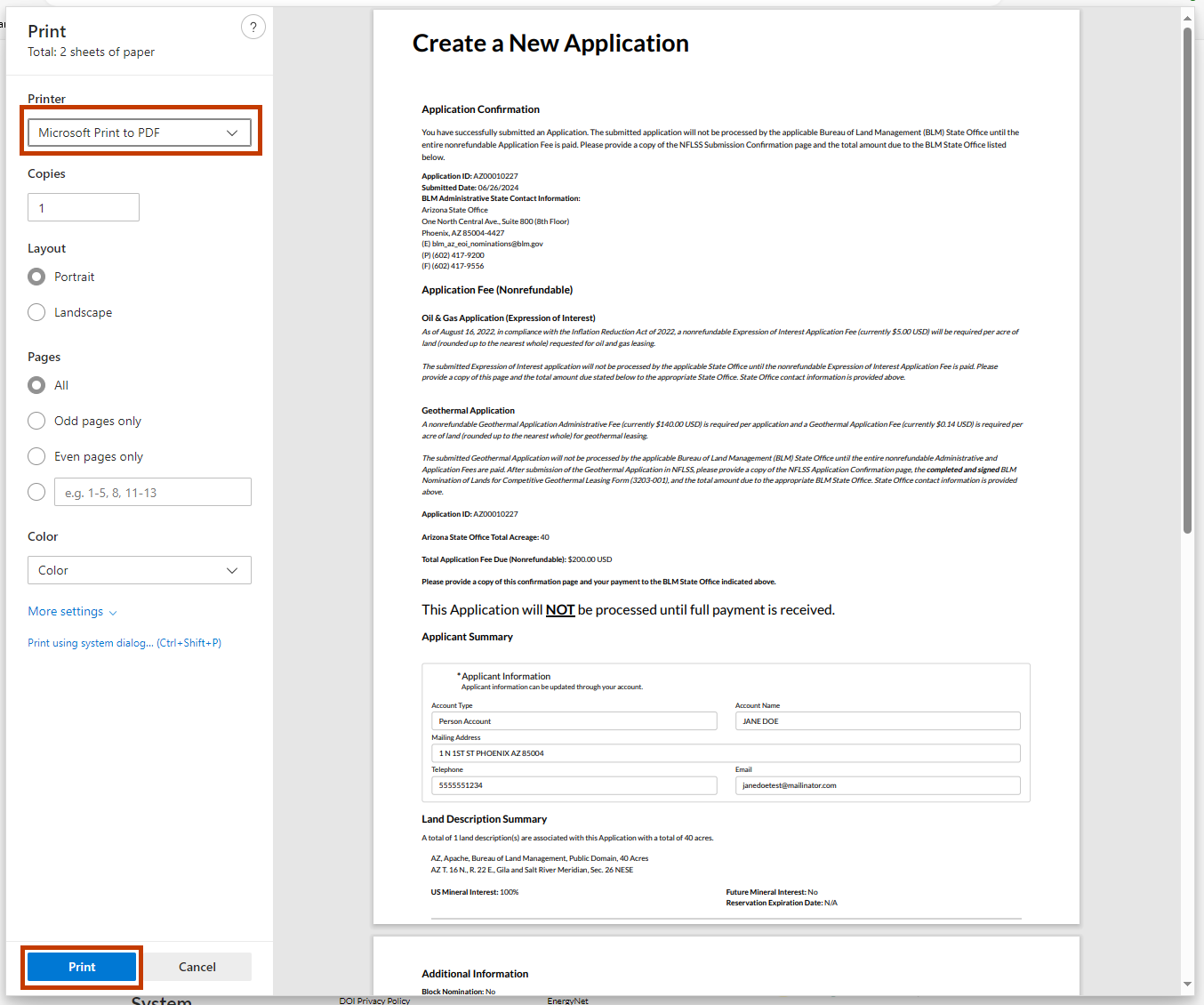
To print the confirmation page, select the Print button. When the BLM requires a nonrefundable filing fee, the applicant must print the Confirmation page and provide it to the appropriate BLM State Office along with the required fee. The BLM will not process an application until the filing fee is paid.
The Application ID, Total Application Fee Due (Nonrefundable), and the BLM State Office Address is provided on the confirmation page.
The Print page will pop up. Select the Printer you would like to use from the dropdown, as well as the other page settings.
Select the Print button.
Contact the BLM Public Help Desk with any additional questions.