National Fluids Lease Sale SystemU.S. Department of Interior | Bureau of Land Management (BLM)Create a New Oil & Gas Application (Expression of Interest)
Additional InformationQuick Guide
This Quick Guide will provide you with step-by-step instructions on the Additional Information stage to submit an Oil & Gas Application (Expression of Interest). To view previous steps in the process, visit Create a New Oil & Gas Application (Expression of Interest) - Add Lands 2 of 2 Quick Guide.
Applicants can upload files that they believe will assist the BLM process the lands for a competitive lease sale. This can be particularly helpful for Acquired lands. The Add Files action is optional and may be bypassed by selecting the Save and Continue button to advance to the next process page.
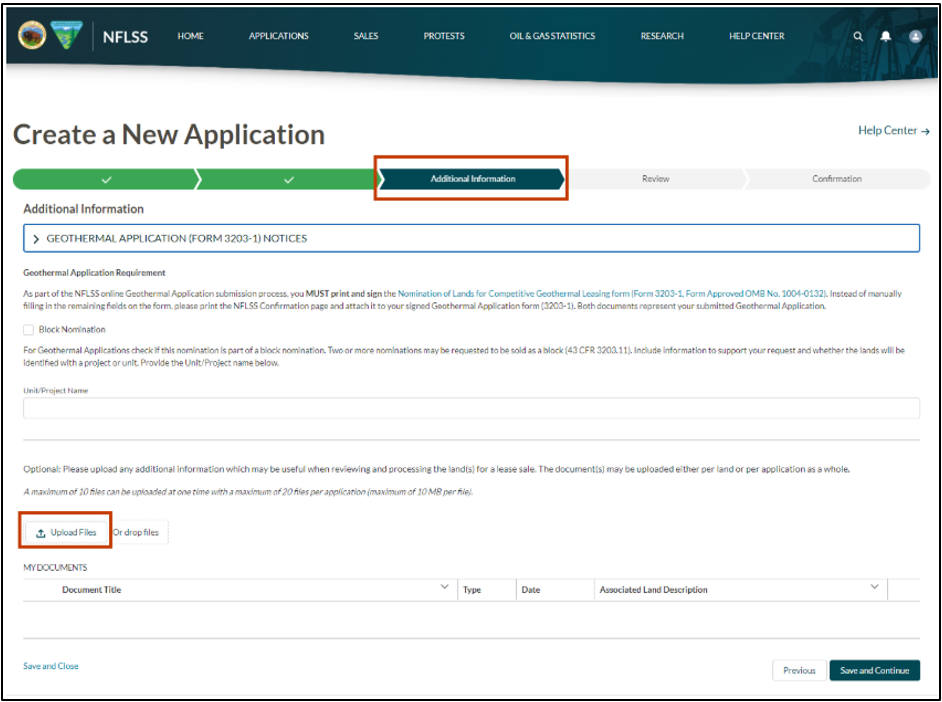
If applicable, a maximum of 10 files can be uploaded at one time (maximum of 10 MB per file), with a maximum of 20 files per application. The files may be associated to the entire application (all lands) or individual lands.
Select the Upload Files button.
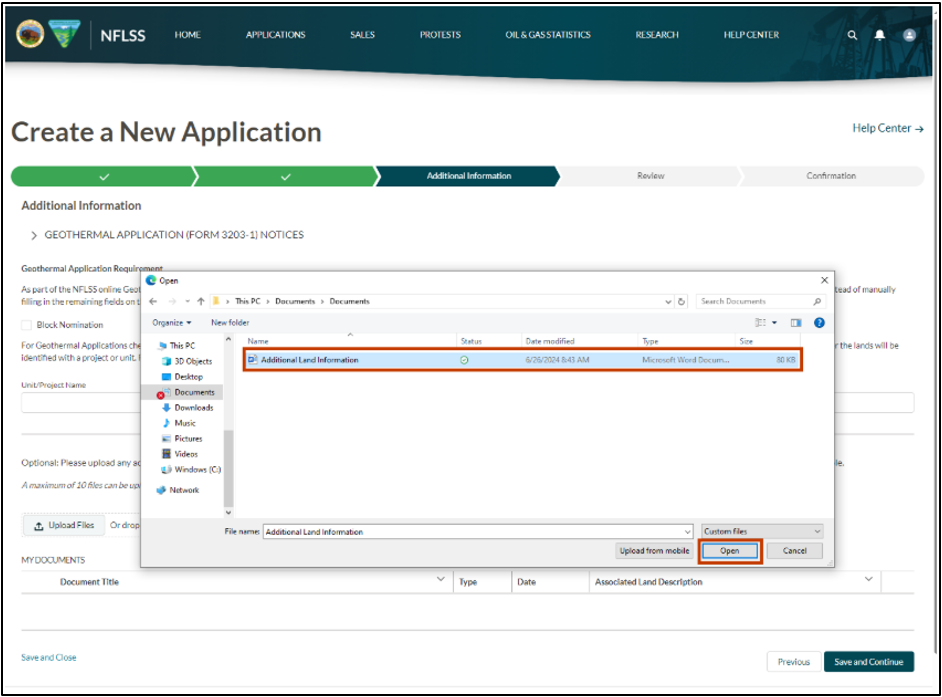
Select the file(s) you would like to upload, a maximum of 10 files can be uploaded at one time (maximum of 10 MB per file). Then, select the Open button.
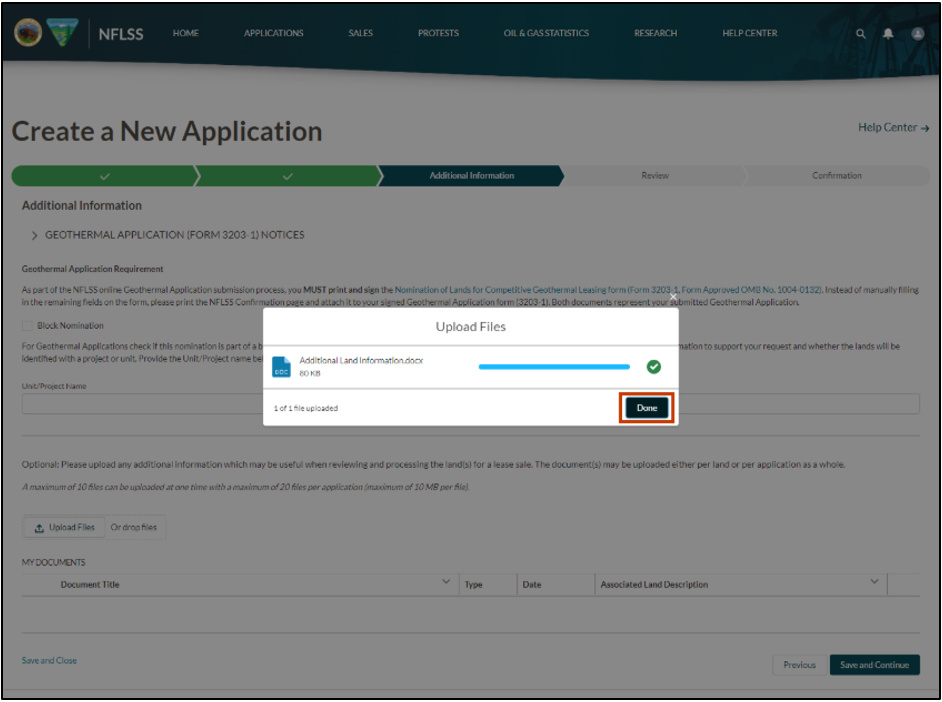
A pop-up will appear confirming your files have uploaded. Select the Done button.
Repeat the previous steps to upload additional files.
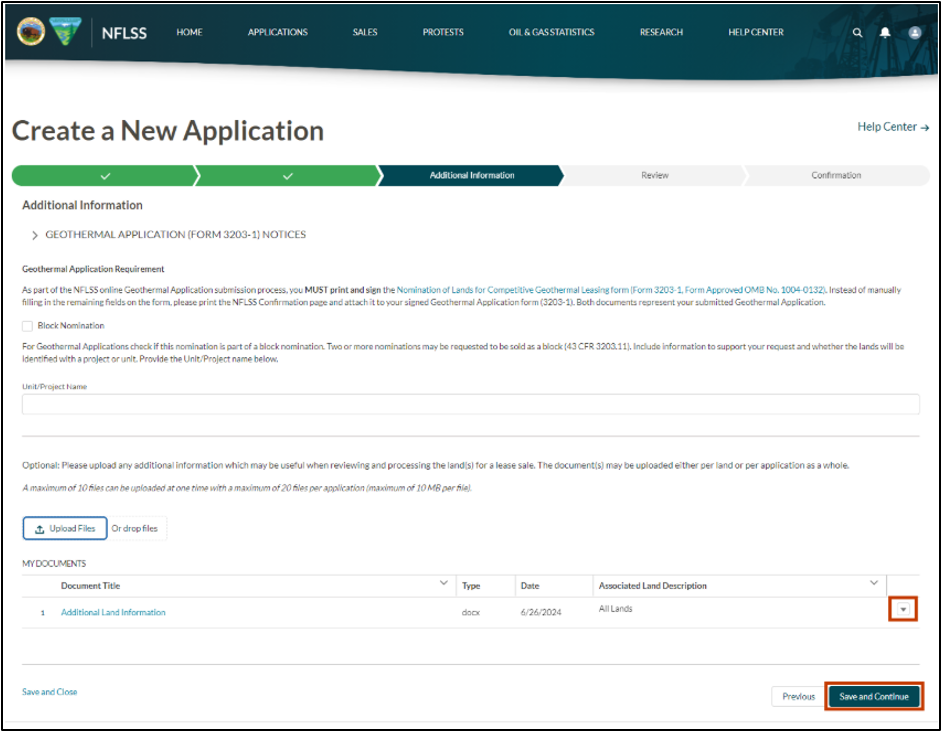
If you mistakenly added a file, select the drop-down arrow, then select delete.
Once you have confirmed all files are uploaded, select the Save and Continue button to advance to the next stage.
To view the next steps process, visit Create a New Oil & Gas Application (Expression of Interest) - Review and Submit Quick Guide.
Contact the BLM Public Help Desk with any additional questions.